![Zones_logo_dark_TM@2x.png]](https://l.myzone.org/hs-fs/hubfs/Evolution%20Branding/Zones_logo_dark_TM@2x.png?height=28&name=Zones_logo_dark_TM@2x.png)
Where to find it
Organization view > Billing > Payment Methods.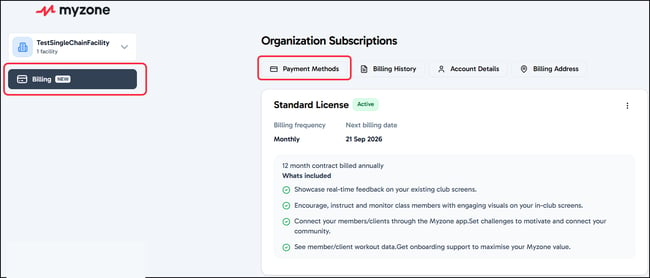
What you can do
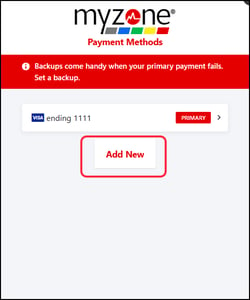
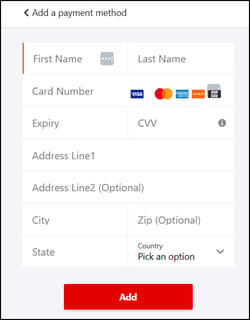
View a summary of your current payment method, and add or update it yourself — available for every account structure, including chain and multi-facility accounts.
To update or Add a new payment method, select Payment Methods.
A note for chain and multi-facility operators
Managing payment methods is self-serve for you, the same as everyone else. What isn't self-serve is a subscription lifecycle change — upgrade, downgrade, or cancellation — which routes through your account manager instead.