![Zones_logo_dark_TM@2x.png]](https://l.myzone.org/hs-fs/hubfs/Evolution%20Branding/Zones_logo_dark_TM@2x.png?height=28&name=Zones_logo_dark_TM@2x.png)
Where to find it
Facility Settings > Console >Change Password.
What's new
Changing your console password now includes built-in validation and a clear confirmation once the change has been saved successfully.
How to change your password
Navigate to Facility Settings > Console > Change Password
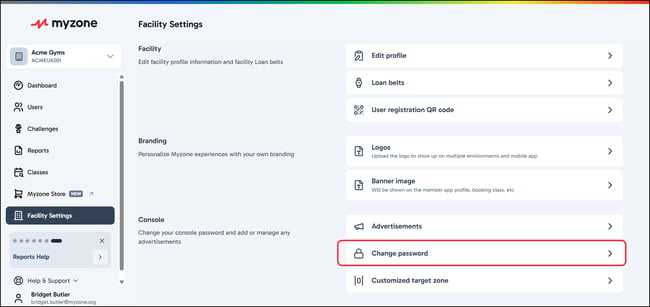
In the right hand side menu that opens you can check the current password, and enter a new password to replace it. The passwords must match in order to Save.
Related articles: Managing console advertisements