![Zones_logo_dark_TM@2x.png]](https://l.myzone.org/hs-fs/hubfs/Evolution%20Branding/Zones_logo_dark_TM@2x.png?height=28&name=Zones_logo_dark_TM@2x.png)
Click anywhere on the software display screen to access the menu.
Choose 'Unlock Admin' and enter your password to expand the menu and find Settings.
Click Settings>Tile Settings>Show Myzone Go QR Code.
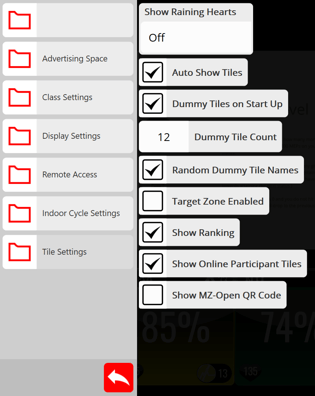
And remember, the QR code has to be displayed for Myzone Go participant tiles to show on the screen. If you have printed a picture of the QR code for members to scan elsewhere, it still must be on the screen. No QR code, no Myzone Go tiles.