![Zones_logo_dark_TM@2x.png]](https://l.myzone.org/hs-fs/hubfs/Evolution%20Branding/Zones_logo_dark_TM@2x.png?height=28&name=Zones_logo_dark_TM@2x.png)
From the Manage portal homepage, select Users from the left hand side menu.
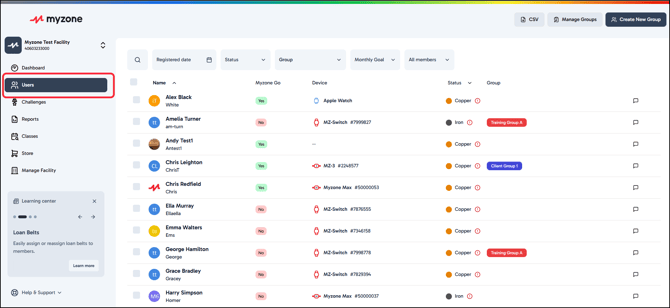
From the list of users, select the individual you wish to remove by clicking on their name. Remember you can use the search field to find a user by their name or device ID.
From the users profile page, click the 3 dot menu found to the right of the user's name.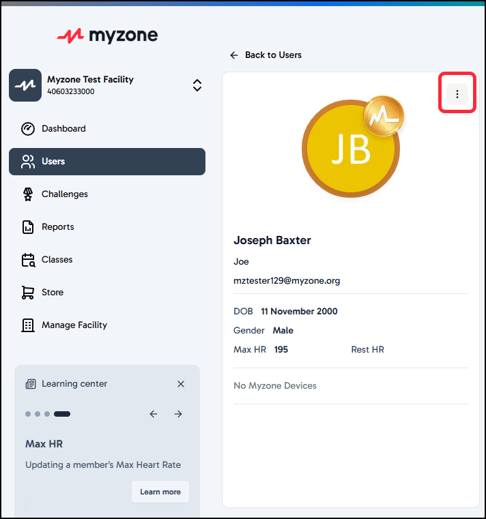
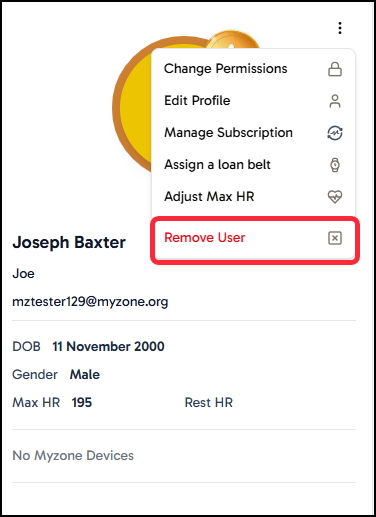
From the list of actions provided, you will find Remove user at the bottom of the menu. Click this to start to the removal process.
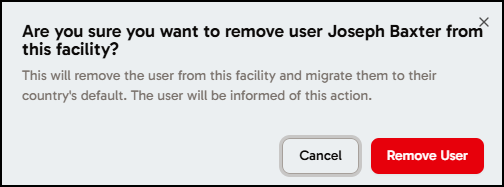
There is a confirmation step, to make sure you are removing the right user. Make sure to click the final Remove button to finalise the action.
NB: The user will be made aware of this action and will automatically be moved to a default facility based on their country.