![Zones_logo_dark_TM@2x.png]](https://l.myzone.org/hs-fs/hubfs/Evolution%20Branding/Zones_logo_dark_TM@2x.png?height=28&name=Zones_logo_dark_TM@2x.png)
Before you start: make sure your file has a column for first name and a column for email address. Those are the only details the Member Invites feature uses.
- Open the Users page and select the Invite Members option.
- Choose to Import from file.
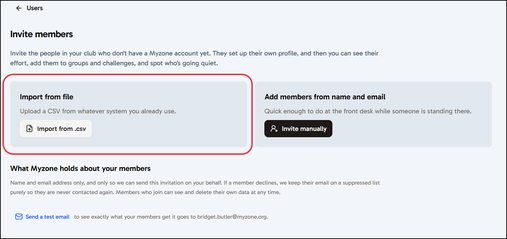
- The right hand side panel provides details of how to format your file. Essentially one column is required for Email address. Without this information we are unable to send the invites. The file can only be .CSV format, no other file formats are supported.
In addition you should follow these basic rules when formatting your file;
- one row per member
- a column of email addresses
- a column of first names
- .CSV file types only
- maximum 10,000 rows per file. - Click Browse File to upload your correctly formatted file. Click Continue to go ahead with the upload.
- Confirm your column mapping: tell us which column holds first name and which holds email address. The system will check your file and attempt this for you, you just need to confirm the file has been read, and correct any column names if required. When you are happy click Confirm columns.
- A summary of who you are inviting will be displayed. You can either Save this list for later, or click Continue to confirm the invites should be sent now.
- The details will be validated. You must confirm you have the correct permissions to contact your members in this way. Finally click Send invitations.