![Zones_logo_dark_TM@2x.png]](https://l.myzone.org/hs-fs/hubfs/Evolution%20Branding/Zones_logo_dark_TM@2x.png?height=28&name=Zones_logo_dark_TM@2x.png)
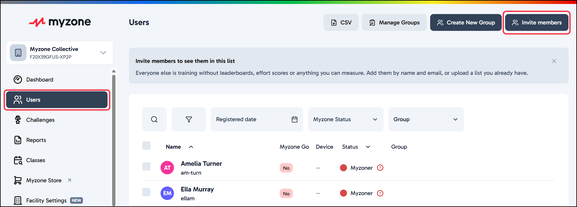
- Sign in to the Owner’s Portal and navigate to the Users page.
- Select Invite Members.
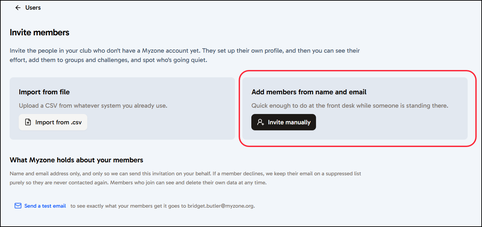
- Select the option to Invite Manually
- Enter the member’s first name and email address, then click Add.
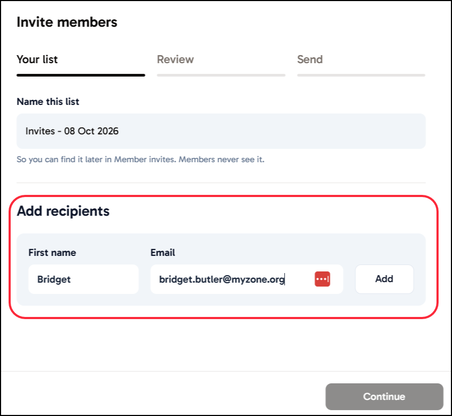
- You can repeat this process for any other users you wish to invite.
- Click Continue to review and send the invite.
- You must confirm by checking the box, that your Facility has the required permissions to contact these members, and that you authorise Myzone to send the invitation on the club's behalf.
Note: Myzone only asks for first name and email address, and uses them only to send the invitation on your behalf.
Before anything sends, your list is checked automatically. Existing members, duplicates and unusable addresses are removed.