![Zones_logo_dark_TM@2x.png]](https://l.myzone.org/hs-fs/hubfs/Evolution%20Branding/Zones_logo_dark_TM@2x.png?height=28&name=Zones_logo_dark_TM@2x.png)
Where to find it:
Facility Settings > Facility > Loan Devices.
What you can do
- Add loan devices individually
- Add loan devices in bulk
- Remove loan devices individually or in bulk
- See a clear confirmation and success state after every action
Adding new Loan Devices
Navigate to Facility Settings > Loan Belts.
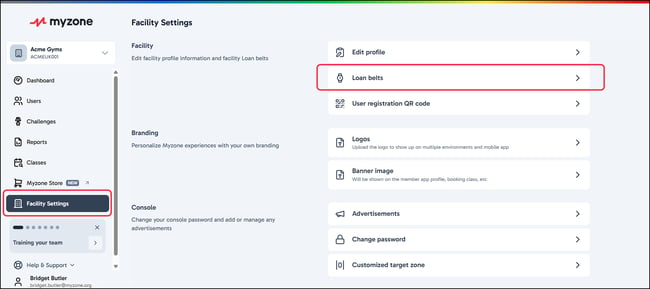
Selecting Loan Belts will open the right hand side window for you to add, remove and check existing loan belt information.
To add new loan belts, click the Add new button.
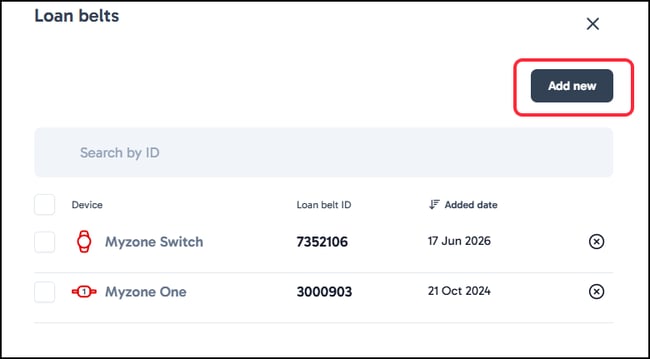
Simply type in the single belt ID, or add in bulk by separating each ID by a space or comma. Confirm your entry by clicking Add belt.
Has my existing loan device data carried over?
Yes — your existing loan device records were migrated automatically with the release.